
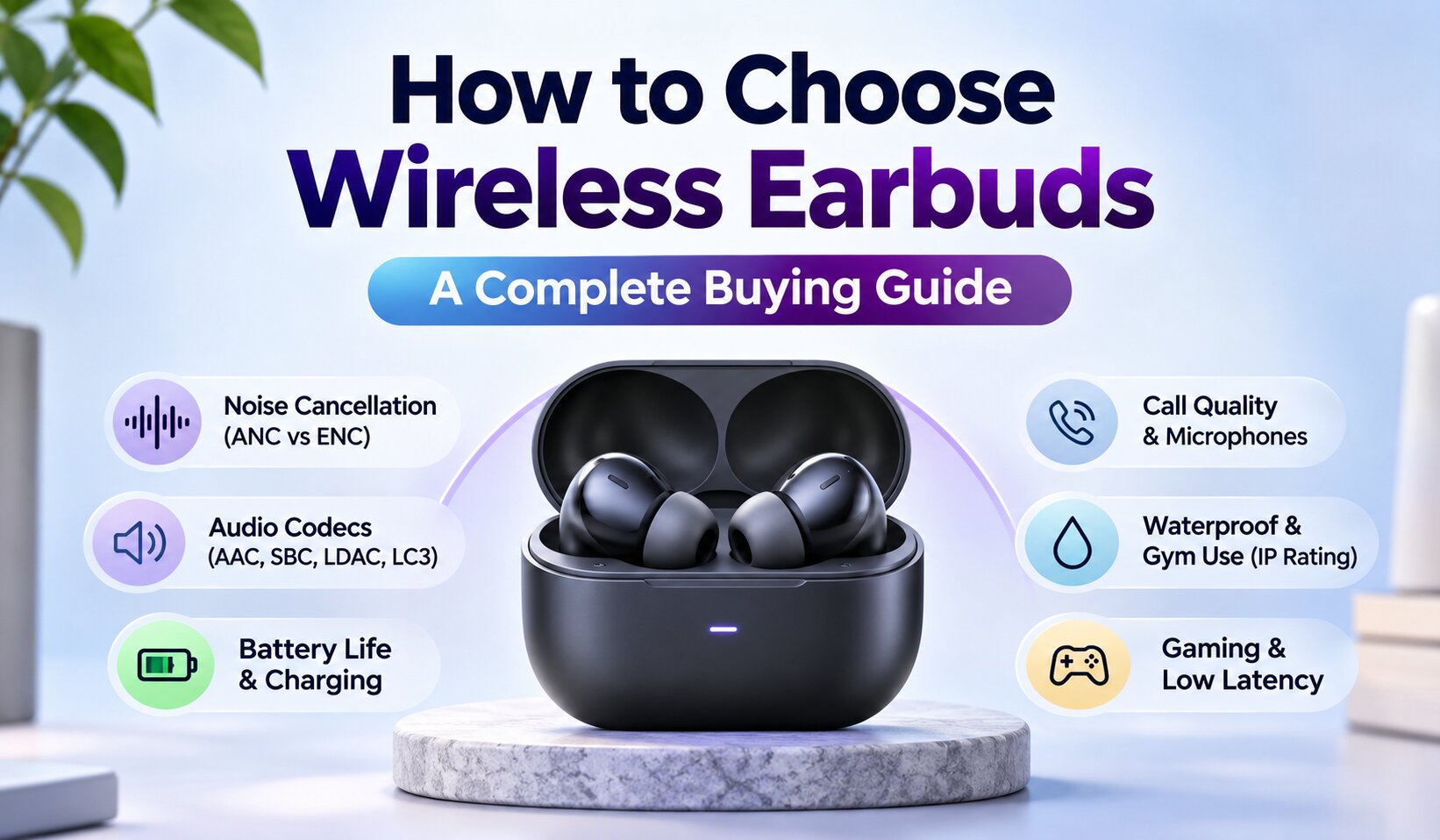
How to choose wireless earbuds depends on where you listen, how long you wear them and what you expect from them. Imagine you are halfway through a commute, trying to hear a podcast over the rumble of the bus. By the time you reach work, the earbuds have started to feel uncomfortable. The product page promised powerful noise cancellation and long battery life, but neither specification tells you whether the pair suits your day.
That is the problem with shopping by specification alone. Battery figures may include the charging case, ANC performance varies with fit and environment, and a premium codec is useful only when your phone supports it. The most impressive feature is not always the one you will notice most.
A better shortlist starts with your routine: where you listen, how long you wear earbuds and which devices you use. Comfort, fit, sound quality and reliable everyday performance should come first. Features such as ANC, multipoint connectivity and advanced codecs matter when they solve a real need.
This guide explains the main differences in plain language, compares the trade-offs and offers a practical way to judge features before you buy. It also covers compatibility, safe listening, care and common troubleshooting.
Start With Your Routine
Before comparing models, consider where you will use your earbuds most often. A person who spends two hours commuting has different priorities from someone who wears earbuds during office meetings or runs outdoors every morning.
Think about three things: your main listening environment, how long you wear earbuds at a time, and which devices you use.
For example, someone working from home with a laptop and an iPhone may benefit more from reliable microphones and multipoint connectivity than from an expensive audio codec. A frequent traveller may value effective noise cancellation and comfortable ear tips. A runner may care more about a secure fit, sweat resistance and awareness of nearby traffic.
This is a useful way to avoid paying for features that look attractive in a product listing but rarely affect your daily experience.
| Your main use | Features worth prioritising |
|---|---|
| Commuting and air travel | Effective ANC, comfortable seal, reliable battery |
| Office calls and video meetings | Microphone performance, comfort, multipoint |
| Gym and running | Secure fit, sweat resistance, awareness |
| Music and podcasts | Balanced sound, comfortable fit, useful EQ |
| Mobile gaming | Low-latency mode, stable connection |
| Everyday mixed use | Comfort, battery, reliable controls and compatibility |
One practical rule: choose the two features you will use most often and make those your buying priorities. Treat everything else as a bonus.
In-Ear vs Open-Ear: Choose Your Fit
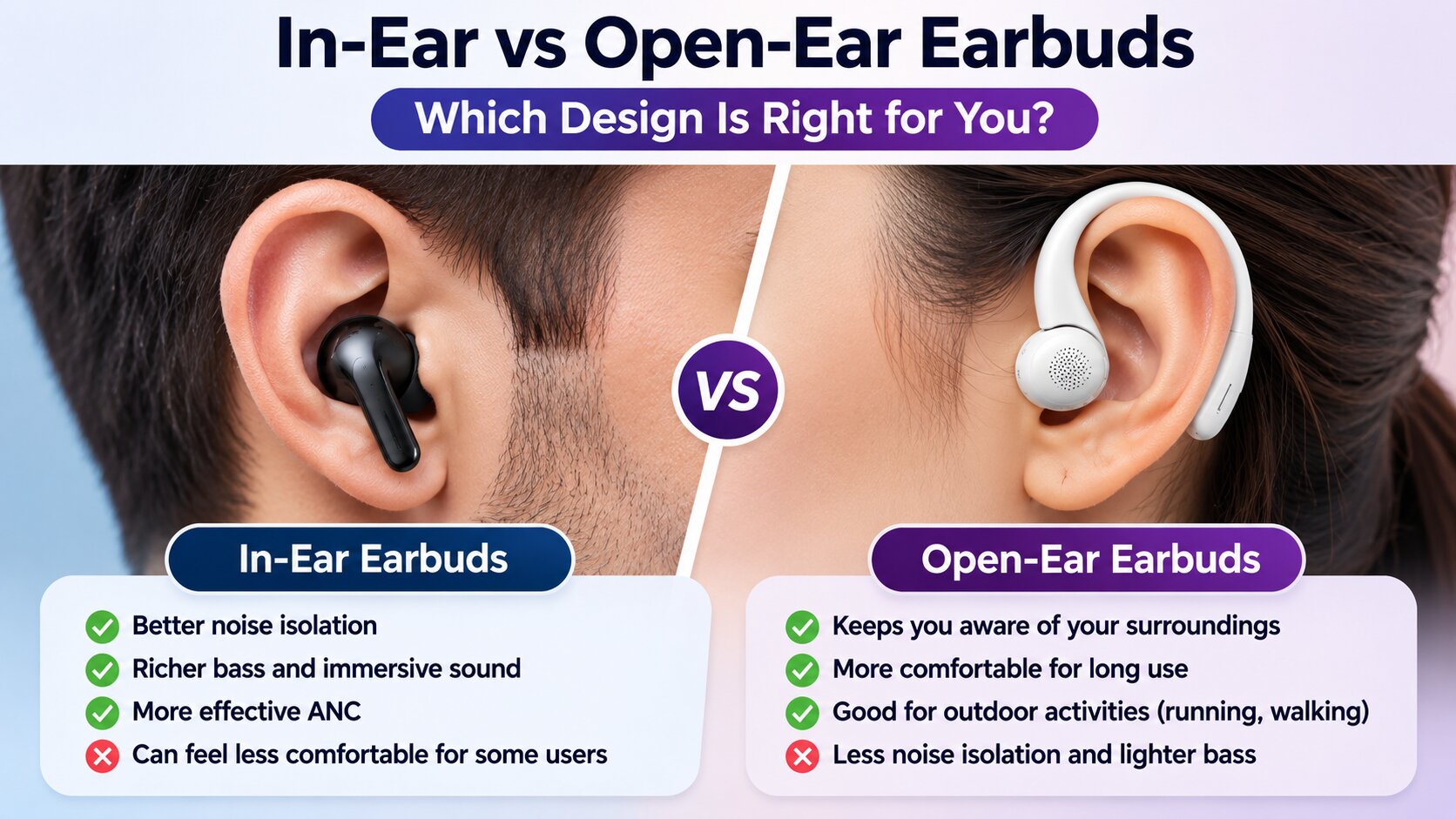
The physical design affects comfort, sound isolation and how aware you remain of your surroundings. The two main choices are sealed in-ear earbuds and open-ear designs.
In-ear earbuds use silicone or foam tips that sit inside the ear canal. A properly fitted tip creates a seal, helping the earbuds produce consistent bass and reduce outside noise. This design is often better for public transport, flights and listening in busy environments.
However, some people dislike the pressure or plugged-ear feeling. Others find that conventional ear tips become uncomfortable after extended use. Trying different tip sizes can help, but it does not solve every fit problem.
Open-ear earbuds sit outside or near the ear canal rather than sealing it. Some use small speakers positioned close to the ear, while others use a clip or hook to stay in place. They can make it easier to hear conversations, announcements and traffic.
There is a trade-off. Open designs generally provide less isolation and may leak sound in quiet rooms. They are also less suitable when you need to block steady background noise.
Consider a simple example. If you work in a shared office and need to hear colleagues, an open-ear model may be more practical. If you take a long bus journey and want to listen without turning the volume up to compete with engine noise, sealed in-ear earbuds with good passive isolation may be the better choice.
Neither design is universally superior. The right one depends on comfort and the environment in which you listen. The fit discussion also connects to our guide to wireless earbuds for small ears.
Everyday Comfort, Style and Gifting
Earbuds are worn close to the skin and often several hours at a time, so comfort should guide the choice more than colour or case design. If you wear glasses, check whether an ear-hook or clip-style design competes for space around the ear. People who wear headbands, helmets or hats should also consider whether the outer shape stays comfortable under them.
Colour and case finish are personal choices, but they affect whether a pair feels right for everyday use. A neutral finish may suit work and travel, while a brighter colour can be easier to spot in a bag. For a gift, avoid guessing the recipient’s ear-tip size or preferred fit. A model with several tip sizes, a clear return policy and broad device compatibility is a safer choice.
For regular wear, keep the ear tips and outer surfaces clean and dry, and avoid sharing earbuds without cleaning them first. If a material causes itching, soreness or irritation, stop wearing the pair and check the manufacturer’s material information. Choose replaceable tips when available, especially if the earbuds will be used daily.
Sound Quality: What Matters
A product page may advertise large drivers, enhanced bass or high-resolution audio. These descriptions do not tell you exactly how the earbuds will sound.
A useful listening test is to focus on four areas:
- Bass: Does it sound full and controlled, or does it overwhelm voices and instruments?
- Vocals: Can you understand speech clearly without increasing the volume?
- Treble: Are high notes detailed without becoming sharp or tiring?
- Balance: Does the sound remain enjoyable across music, podcasts, films and spoken content?
Driver size alone is not a reliable measure of sound quality. Tuning, acoustic design, fit and digital processing all influence the final result.
Fit deserves particular attention. If an in-ear tip does not seal properly, bass response can become weak and outside noise can enter. This may make an otherwise capable pair sound disappointing. Before judging the sound, try the supplied tip sizes and check whether the earbuds remain secure when you move your head.
An equaliser can help adjust the sound to your preference, but it cannot fix every hardware limitation. If the earbuds distort at ordinary listening levels or sound unbalanced across different devices, changing EQ settings may not solve the underlying problem.
Bluetooth Audio Codecs, Explained
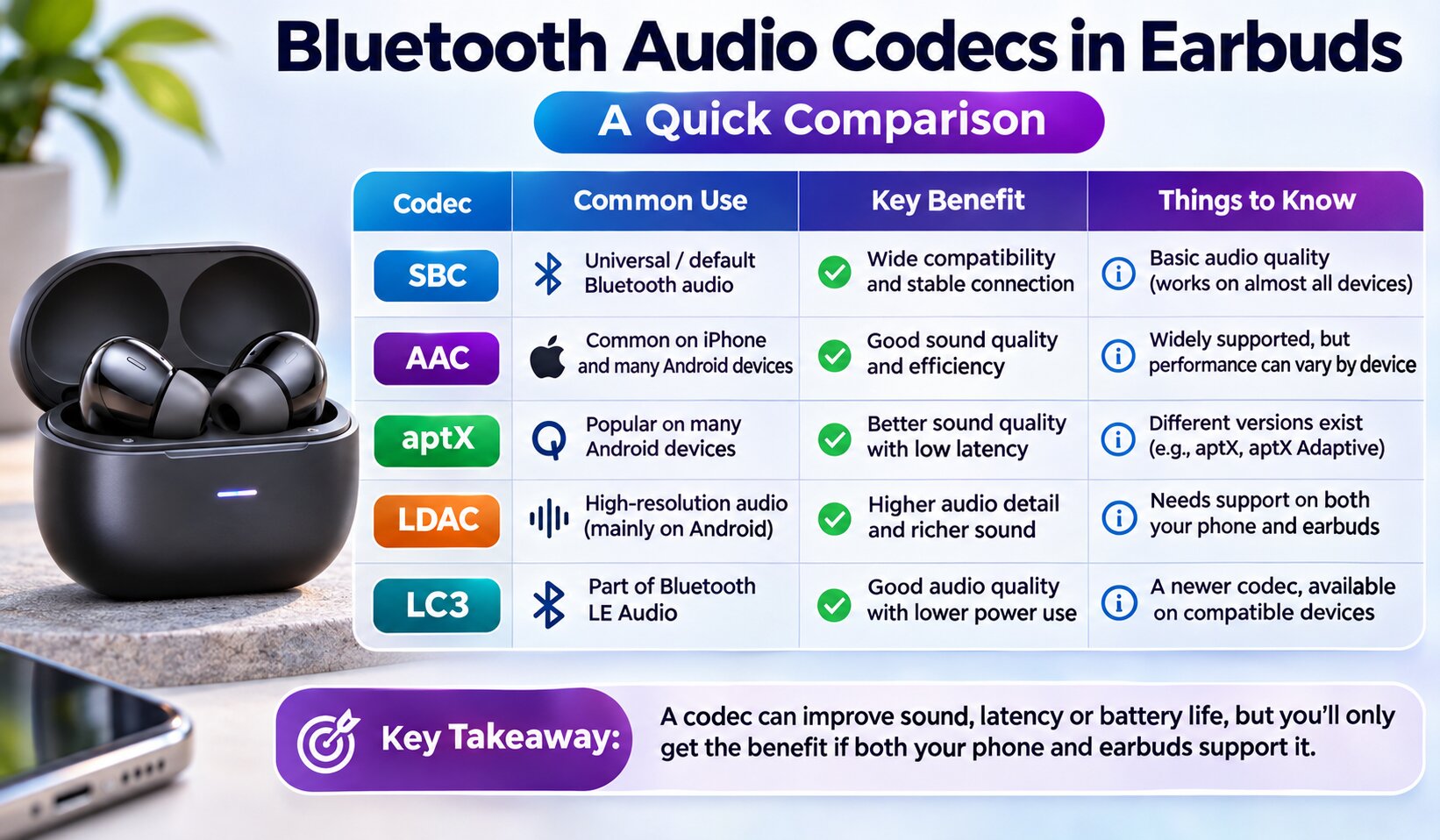
A Bluetooth audio codec determines how digital audio is encoded and transmitted between your phone, computer or tablet and your earbuds. Different codecs use different approaches to balance sound quality, data rate, latency and power consumption.
Common codec names include SBC, AAC, aptX, LDAC and LC3.
SBC is the standard baseline codec for classic Bluetooth audio. It is widely supported and usually provides adequate performance for everyday listening.
AAC is common in Apple’s ecosystem and is supported by many Android devices and earbuds. Its actual performance can vary depending on the source device and implementation.
aptX and its related versions are found in some Android phones and compatible earbuds. Support varies by device and codec version, so check the specifications of both products.
LDAC can transmit audio at higher bit rates than basic Bluetooth codecs under suitable conditions. However, the phone and earbuds must both support it. Higher-quality transmission can also place greater demands on the wireless connection.
LC3 is associated with Bluetooth Low Energy Audio. The Bluetooth SIG describes it as a high-quality, low-power codec designed to provide flexibility in audio quality and power consumption. Its benefits depend on how manufacturers implement the technology and whether the source device supports LE Audio.
The important point is that a codec name on the box does not guarantee a noticeable improvement. Your phone and earbuds must support the same codec, and the connection must operate in a suitable mode.
For example, buying LDAC-compatible earbuds does not automatically mean an iPhone will use LDAC. If you use an iPhone, check the actual codec support of the Apple device and the earbuds rather than buying based on an Android-focused feature list.
For most listeners, a comfortable fit, sensible sound tuning and stable connection are more important than chasing the longest codec specification.
Active Noise Cancellation (ANC)
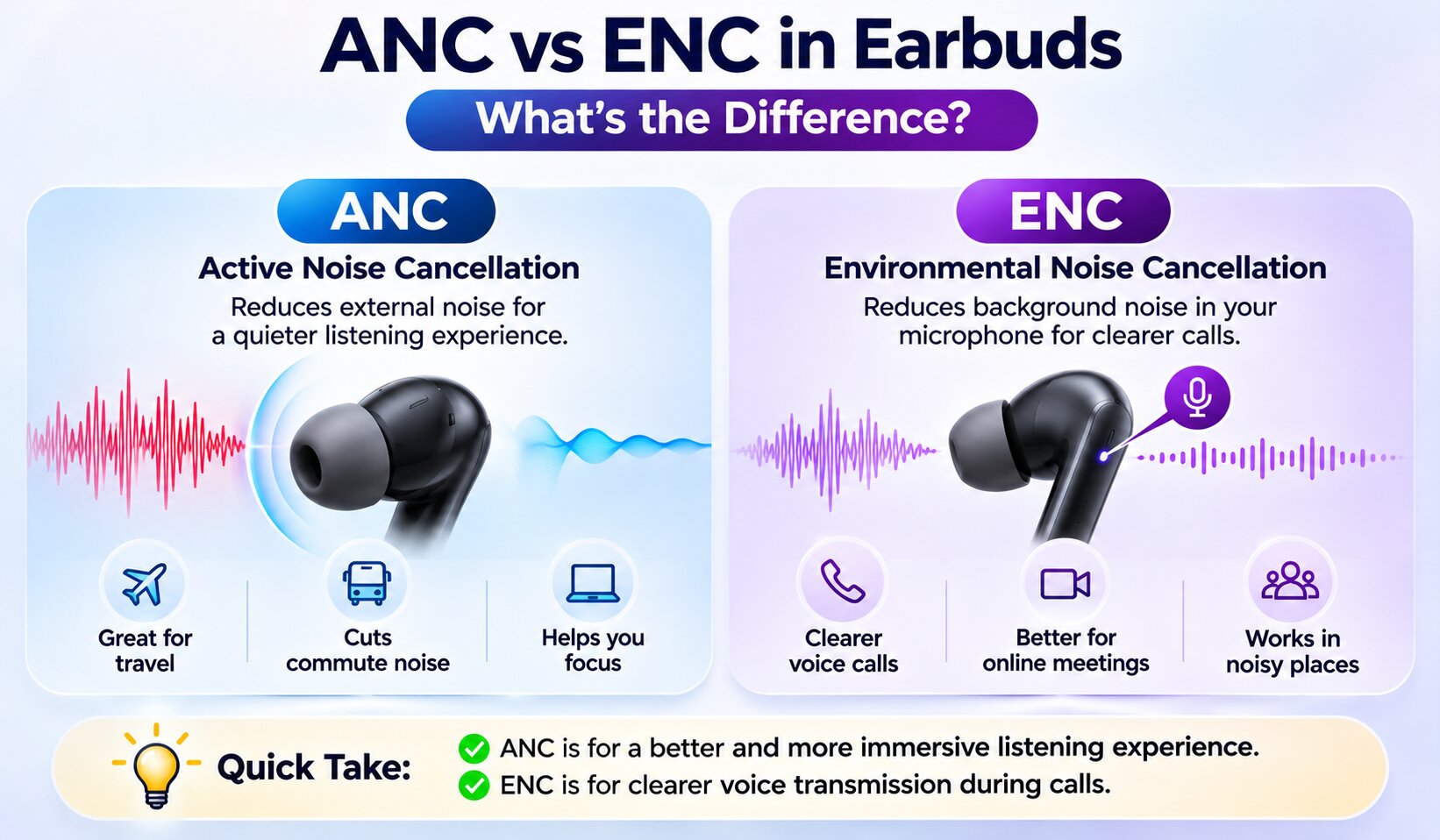
Active noise cancellation (ANC) uses microphones and electronic processing to reduce outside sound before it reaches your ears. It is most useful against steady, low-frequency noise such as aircraft cabins, bus engines and air conditioning. Apple explains the microphone-and-anti-noise principle in its AirPods ANC guide; the same broad principle is used across the category, although performance varies by model.
ANC does not create complete silence. Sudden sounds, nearby speech, keyboard clicks and wind can remain audible. A secure, comfortable seal also matters because the ear tips provide passive isolation alongside the electronic cancellation. A poor fit can weaken both the bass response and the perceived reduction in outside noise.
Pay extra for ANC when you regularly travel, commute on noisy transport or work near constant background hum. It is a lower priority if you mostly listen at home, prefer to hear your surroundings, or rarely use earbuds in noisy places. In those situations, comfort and sound quality may deliver more value than a stronger cancellation rating.
Before choosing an ANC model, check whether it has adjustable cancellation, a usable transparency mode and sensible wind handling. Transparency mode feeds outside sound back in through the microphones, which can help with announcements and brief conversations. If travel is part of your routine, compare our noise-cancelling earbuds guide and travel earbuds recommendations.
ANC vs ENC: Two Different Jobs
ANC and ENC are often grouped together in product listings, but they solve different problems. ANC is for the person wearing the earbuds; ENC usually refers to microphone processing intended to make that person easier to hear during a call.
For example, ANC can reduce the steady rumble of a bus so you can hear a podcast. Call-side noise reduction can help suppress traffic or room noise picked up by the microphones when you speak. The exact name and performance vary by brand, so “ENC” by itself is not a reliable quality rating.
If calls matter, look for real microphone samples or independent tests recorded in quiet rooms and noisy streets. Voice clarity, wind handling and connection stability tell you more than an ENC badge. For more call-focused buying advice, see our guide to headphones with microphones for voice and video.
Earbuds for Work Calls
The best earbuds for office calls and Zoom meetings are not necessarily the ones with the strongest bass or most powerful ANC. They need to make your voice understandable and remain comfortable throughout a working session.
Start with microphone performance. A microphone that sounds clear in a quiet room may struggle when a fan, traffic or other people are nearby. If possible, listen to sample recordings made in different environments before buying.
Next, consider multipoint connectivity. It can be useful when you regularly move between a laptop and a phone. You may be able to stay connected to both devices and switch audio sources without repeatedly pairing them.
Comfort is another factor that is easy to underestimate. A pair that feels fine for 15 minutes may become irritating during a two-hour meeting. Earbuds with several tip sizes, light construction and accessible controls are worth considering.
Finally, check how the earbuds behave during calls. Some models automatically switch between ANC and transparency modes, while others let you adjust these settings manually. The best choice is the one that keeps your voice clear without making the call feel unnatural.
Battery Life: Read the Fine Print
Battery claims can be misleading when you compare products. Manufacturers may advertise the combined listening time of the earbuds and charging case, while the individual earbuds provide only a fraction of that figure on one charge.
Always distinguish between:
- Playback time per charge: how long the earbuds work before returning to the case.
- Total battery life with the case: the combined listening time available after using the case to recharge them.
- Call time: which can differ from music playback time.
- Playback with ANC enabled: often shorter than the manufacturer’s maximum figure with ANC disabled.
ANC, high volume, frequent calls, temperature and other features can affect runtime. Actual battery life also changes as rechargeable batteries age.
For a typical working day, a pair that can comfortably cover your longest listening session without returning to the case may be more useful than a model advertising a very high combined total.
If you travel often, check how quickly the case recharges the earbuds and whether a short charging session provides useful playback time. Our noise-cancelling headphones guide covers larger over-ear alternatives too.
How to Extend Earbud Battery Life
A few habits can help reduce unnecessary battery use:
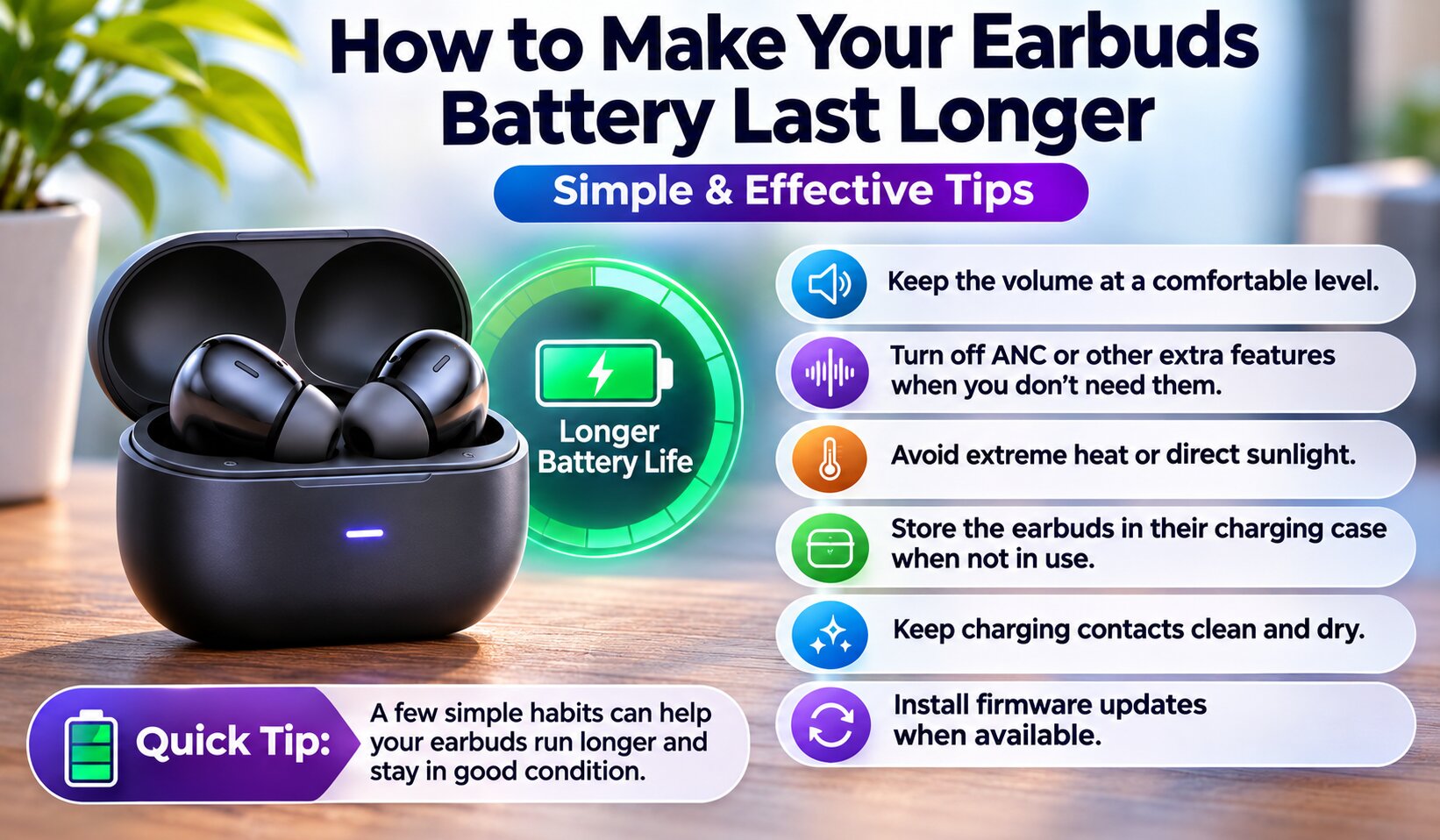
- Lower the volume to a comfortable level instead of listening at maximum output.
- Turn off ANC or other processing features when you do not need them.
- Avoid leaving the case or earbuds in very hot environments.
- Store the earbuds in their case when they are not in use.
- Keep charging contacts clean and dry so the earbuds connect properly.
- Install firmware updates when the manufacturer recommends them.
Do not a